
Open source · PSP-1000 · Raspberry Pi · GameShell
Your PSP, playing games it never had
Plug a small Linux board into your PSP's USB port. The board runs the games; the PSP draws them with its own graphics chip, plays their sound and takes your buttons. Quake, Celeste 64, Cave Story, Diablo, emulators and more, on the PSP's screen.
See it in action
What you get on the PSP
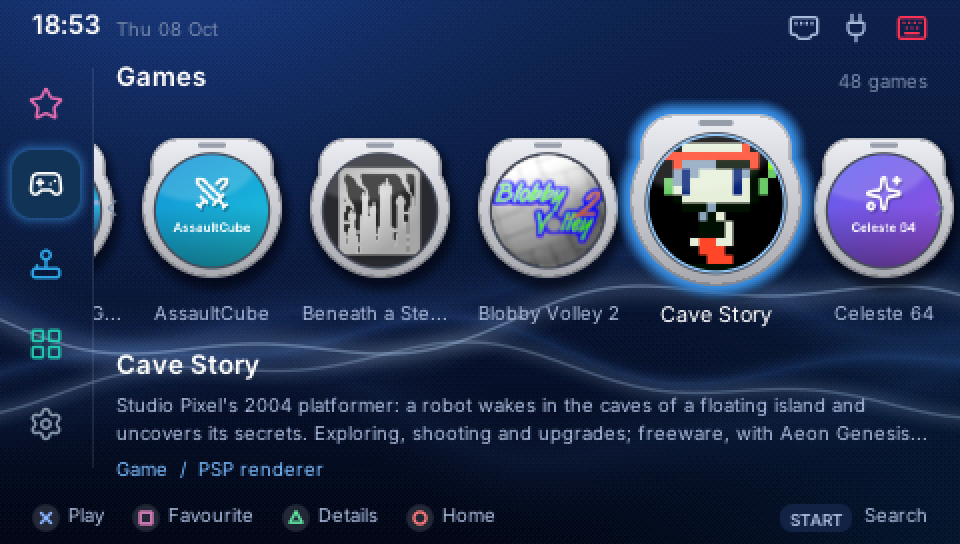
A launcher made for it
Games, emulators, apps and settings, with covers, favourites, search and notifications, all on the PSP's buttons.
Games, installed from the PSP
Freedoom, Quake, Celeste 64, Unreal Tournament, Sonic Robo Blast 2, Cave Story, OpenTTD, Command & Conquer, SuperTux and dozens more, in two presses.
Emulators
NES, SNES, Mega Drive, Game Boy, Game Boy Advance, Lynx, WonderSwan and, on a Raspberry Pi, the Nintendo 64. Bring your own ROMs.
Apps and headphones
A music player, a file manager with the PSP's memory stick, a system monitor, a Linux terminal, and Bluetooth headphones.
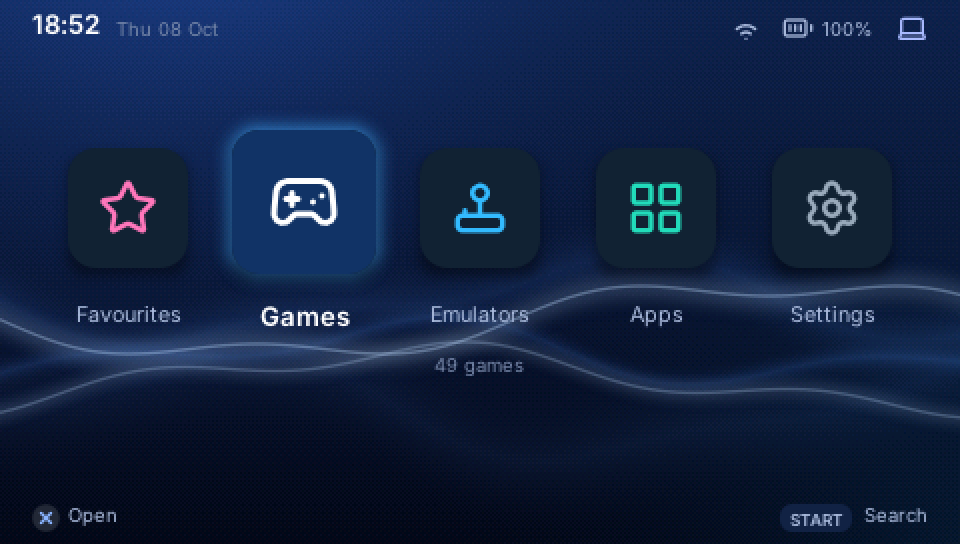
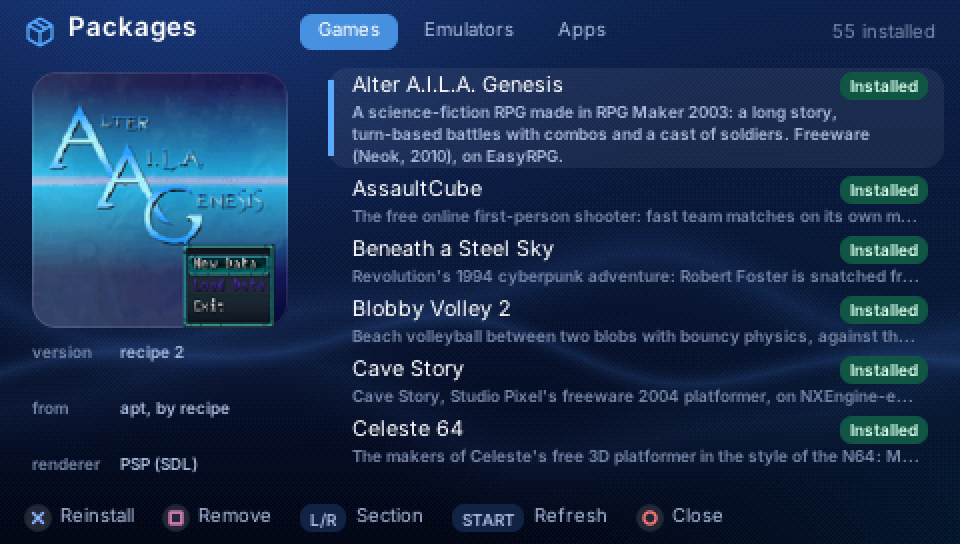
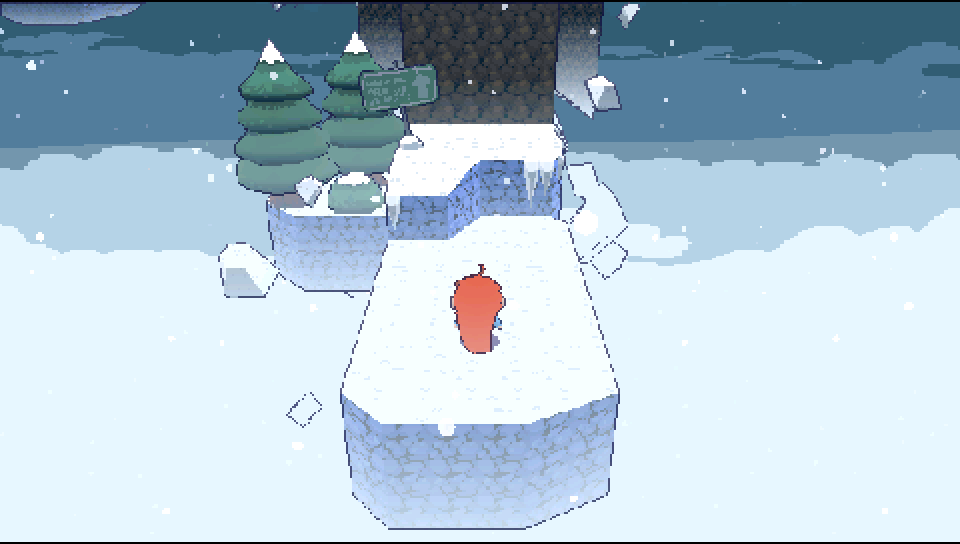

What the PSP shows, captured from the stream the board sends it.
How it works
The game runs on the board, unmodified, and draws through SDL2 or OpenGL as usual. PSPExp catches those calls and sends the PSP what to draw, not the finished pixels: textures once, then small lists of sprites each frame. The PSP's graphics chip draws them at full speed, its sound chip plays the audio, and its buttons go back to the game. Games too heavy for the PSP's chip are drawn by the board's GPU, and each frame is sent as a picture.
What you need
- A PSP-1000 with custom firmware (PSPExp loads a small USB driver).
- A mini-USB data cable.
- A Raspberry Pi 3, 4, 400 or 5, or a ClockworkPi GameShell, and a microSD card.
Boards
| Board | Games | Setting up |
|---|---|---|
| Raspberry Pi 3 / 4 / 400 / 5 | all 58 packages, 3D and the Pi's GPU included | write the card image |
| ClockworkPi GameShell | 47 packages: a pocket pair with the PSP | write the card image |
| Onion Omega2+ | 12: 2D games and emulators | for tinkerers: built from the repository |
Get started
- The PSP. Download the PSP's part from the download page and unzip it at the root of the memory stick. How
- The board. Write its card image, from the same page, with Raspberry Pi Imager or balenaEtcher. Raspberry Pi · GameShell
- Connect. Plug the PSP into the board, start PSPExp on the PSP, power the board on. The launcher appears.
- Play. Join Wi-Fi from the PSP, open Apps > Packages and install a game. Using PSPExp
Questions
Can it harm my PSP?
PSPExp is a homebrew program on the memory stick: it changes nothing in the PSP's firmware, and quitting it returns the PSP as it was. It does need custom firmware to run.
Which PSP models work?
It is tested on the PSP-1000. Other models have not been tried yet.
Where do the games come from?
From their authors: free and open-source games through Debian and PSPExp's package repository, and games whose authors publish them downloaded from their own pages when you install them. PSPExp hosts no game data. Warcraft I and II need the data of your own copy; emulators need your own ROMs.
Does the board need a screen or keyboard?
No. The PSP is its screen and controller; Wi-Fi, the time zone and updates are set from the PSP.
How does it update?
The launcher tells you when a new PSPExp is out; Packages installs it, and Settings > Update the PSP puts the PSP's part up to date.
Is it made by Sony?
No. PSPExp is an independent open-source project, not affiliated with Sony; "PSP" names the console it runs on.